A blinking light on an IQOS ILUMA device can indicate charging activity, low battery, a temperature issue or a problem that needs attention. The meaning depends on the light’s colour, whether it flashes or pulses, where the indicator appears and which device model you own.
Before trying a reset, identify whether the light is on the holder, pocket charger or an all-in-one device. This matters because IQOS ILUMA and IQOS ILUMA i models do not all have the same controls or charging arrangements.
Understanding IQOS ILUMA Indicator Lights
Steady Light vs Blinking Light
A steady light and a blinking light can communicate different information. On a two-piece ILUMA device, the pocket charger may display its remaining battery level, while separate rounded indicators can show the holder’s charge status.
Pulsing white lights can indicate that the holder is charging. Other blinking patterns may indicate low charge or that the device is outside its recommended operating temperature range.
Do not assume that every blinking light means the device is broken. First identify the exact pattern and check the instructions for your model.
Holder Light vs Pocket Charger Light
Original IQOS ILUMA, ILUMA Prime and corresponding two-piece models have a separate holder and pocket charger. This means a charging problem can originate in either component.
The all-in-one IQOS ILUMA ONE and ILUMA i ONE use a different design, so their indicators and troubleshooting procedures must be interpreted according to their own instructions.
When describing a light, note where it appears rather than recording only its colour. For example, a blinking red indicator on a pocket charger may have a different explanation from a light displayed elsewhere.
Differences Between IQOS ILUMA and ILUMA i Models
The original ILUMA family and the newer ILUMA i family share the general principle of induction heating, but their controls and features differ.
Before following an online reset guide, identify the exact model name. A procedure written for a two-piece device may not apply to an all-in-one model.
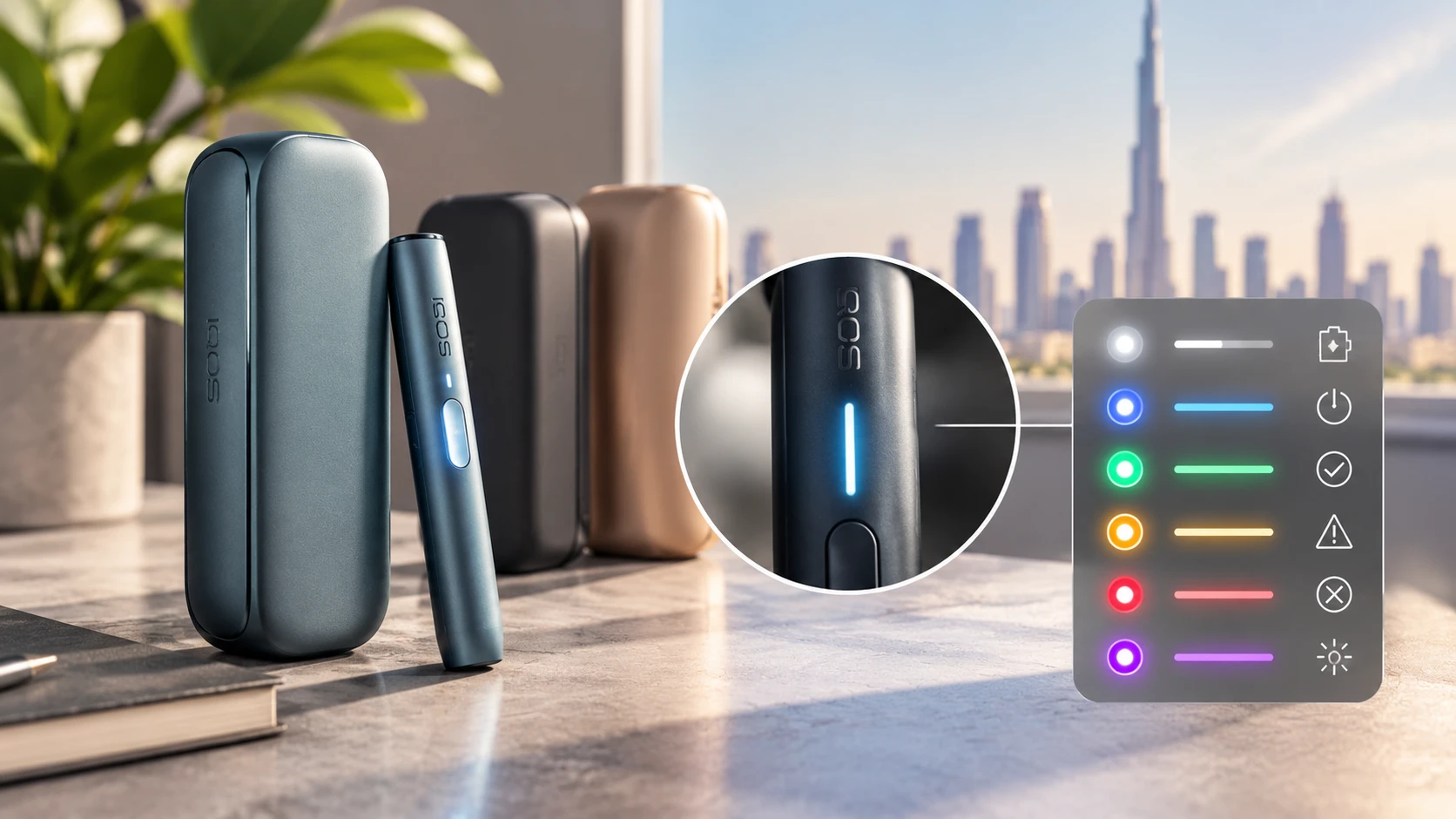
IQOS ILUMA Light Colours and Their Meanings
The following table summarises common indicators documented for original IQOS ILUMA devices. It is not a universal code chart for every ILUMA i model.
| Light or pattern | Possible meaning | What to do |
| Pulsing white rounded lights | Holder charging in the pocket charger | Allow charging to continue |
| Blinking white light | Possible temperature-related interruption | Let the device return to its recommended temperature range |
| Blinking red on the pocket charger | Holder charge warning or a device issue requiring attention | Check holder charge and follow model-specific instructions |
| Blinking yellow/orange | Device needs charging on models using this indicator | Connect the appropriate charger |
| Steady white battery-level indicators | Remaining charge level | Check the number of illuminated indicators |
| No lights | Battery may be depleted, or there may be a power/device fault | Check the power connection and model instructions |
The exact meaning should always be confirmed against the manufacturer’s instructions for the particular device.
White Light Normal Status and Charging Indicators
White lights can communicate normal operating or charging information. On the original ILUMA pocket charger, pulsing white rounded lights indicate that the holder is charging.
Stationary white strip lights can indicate the pocket charger’s remaining battery level. The number of illuminated segments provides a rough indication of how much charge remains.
A white indicator is therefore not automatically an error. Its meaning depends on whether it is steady, pulsing or blinking and which part of the device displays it.
Blinking White Light Possible Meanings
A blinking white light can indicate that the device has been exposed to temperatures outside its recommended operating range. For original ILUMA models, the documented range is 0°C to 40°C.
If the device has been sitting in a hot car or direct sunlight in the UAE, move it to a shaded indoor environment and allow it to return naturally to a suitable temperature.
Avoid putting the device in a refrigerator or freezer. Rapid cooling can introduce moisture and create additional problems.
If the light continues to blink after the device has returned to an appropriate temperature, consult the relevant troubleshooting instructions.
Red Light Possible Device Errors
A red light can indicate that the holder needs attention, but the precise meaning depends on the model and indicator location.
Possible explanations include a low holder charge or a technical interruption. A red light should not automatically be interpreted as proof that the battery has failed.
Check whether the holder is correctly seated in the pocket charger, examine the device for visible damage and follow the official instructions for the specific light pattern.
Blinking Red Light What to Check
On the original IQOS ILUMA pocket charger, a blinking red strip light is associated with a holder charge warning in the manufacturer’s guidance. The official troubleshooting procedure may include resetting the device.
For compatible two-piece models, the documented reset procedure involves placing the holder in the pocket charger and holding the pocket charger button for approximately 10 seconds, until the lights dim and the reset is indicated.
Do not apply this procedure automatically to every ILUMA i model. Check the model-specific instructions first, and contact support if the indicator persists.
No Lights Possible Causes
If no lights appear, the battery may be fully depleted. A disconnected cable, faulty power source or device fault may also explain the problem.
For a two-piece model, determine whether the pocket charger itself has power before assuming the holder is faulty. For an all-in-one device, check its charging connection and the instructions for that model.
If the device remains unresponsive after the recommended charging and troubleshooting steps, seek professional support instead of repeatedly attempting resets.
IQOS ILUMA Blinking Lights While Charging
Understanding Charging Indicators
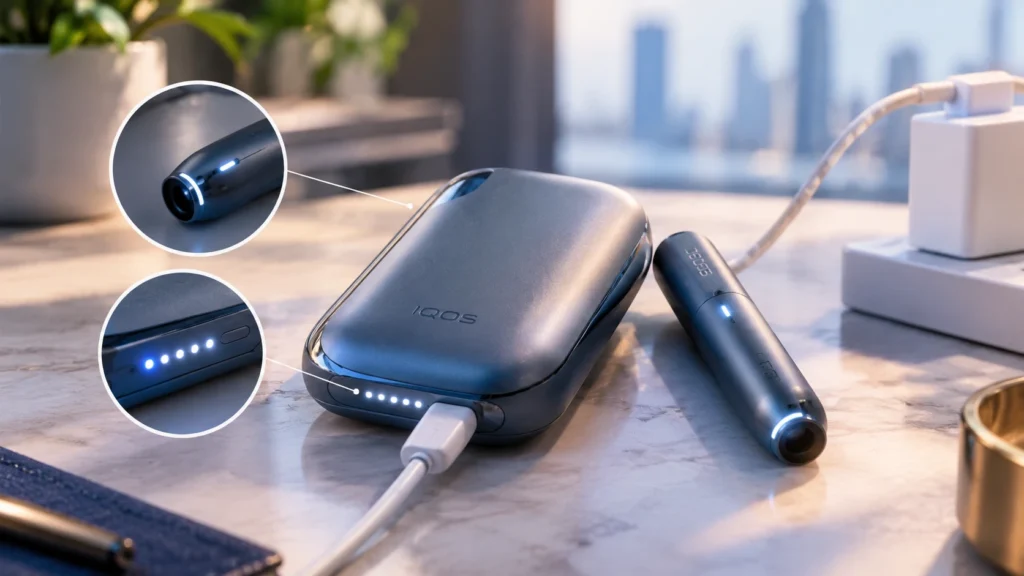
Charging indicators help distinguish normal charging from a possible fault. Pulsing white rounded lights on the original pocket charger indicate that the holder is charging, while the charger’s strip lights indicate its own battery level.
Do not confuse these two sets of indicators. If the pocket charger has power but the holder does not appear to charge, the issue may involve the holder, its position or the charging contacts.
Checking the Cable and Power Source
If the pocket charger does not respond, inspect the charging cable and power connection. Use compatible charging equipment and check for visible damage.
Try a suitable power source recommended by the manufacturer. Avoid using a damaged cable or attempting to force a connector into the port.
Holder and Pocket Charger Status
On two-piece models, check both components separately. A charged pocket charger does not necessarily mean that the holder has sufficient charge.
If the holder fails to charge despite a functioning pocket charger, follow the model’s troubleshooting procedure. Do not dismantle the holder or attempt an internal battery repair.
When Blinking May Indicate a Charging Problem
Persistent warning lights, repeated charging interruptions or a holder that remains unresponsive after the recommended checks may indicate a fault.
If the device becomes unusually hot, appears swollen or shows physical damage, stop charging it and contact the appropriate support service.
IQOS ILUMA Blinking but Not Working
Check the Device and Holder Status
First establish whether the issue affects the holder, pocket charger or entire device. On two-piece models, inspect the available indicators on both components.
For an all-in-one device, check the device’s own status indicators and charging connection.
Check Whether the Device Needs Charging
A depleted battery can prevent normal operation. Use the recommended charging setup and allow the device to charge as directed for its model.
If the indicators suggest that charging is taking place but the device still does not work, proceed to the official troubleshooting steps rather than repeatedly pressing the button.
Identify Possible Device Errors
Check whether the light appeared after exposure to extreme temperatures, an interrupted charging session or another unusual event. These details may help narrow down the cause, although they cannot establish a definitive diagnosis.
If the device displays a persistent error, use the manufacturer’s diagnostic guidance.
When to Stop Troubleshooting
Stop if the device is physically damaged, unusually hot, swollen or showing signs of battery failure. Do not open the casing, insert tools into the charging port or continue charging a potentially damaged device.
IQOS ILUMA Light Meanings by Device Model
IQOS ILUMA ONE
ILUMA ONE is an all-in-one device without a separate holder and pocket charger. Its indicators must therefore be interpreted using the instructions for that model.
Do not apply a two-piece holder reset procedure to ILUMA ONE unless the manufacturer specifically instructs you to do so.
IQOS ILUMA Standard and Prime
These models use a separate holder and pocket charger. Their indicators provide information about the status of each component, so it is important to identify where the light appears.
For persistent red indicators, follow the official reset procedure applicable to the exact model.
IQOS ILUMA i ONE, i Standard and i Prime
The ILUMA i family includes both all-in-one and two-piece designs. Controls and features vary across these devices, so the same button sequence should not be assumed to work on every model.
Identify the exact model before attempting a reset or diagnosing a charging fault.
How to Reset IQOS ILUMA When Lights Keep Blinking
Find the Correct Reset Instructions for Your Model
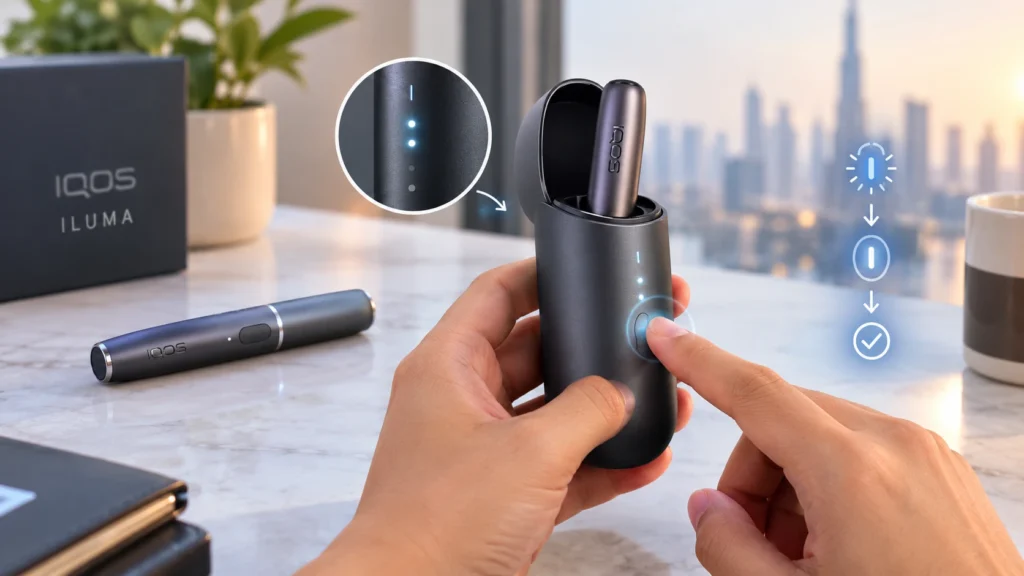
For compatible original two-piece ILUMA models, the documented reset procedure is to place the holder inside the pocket charger and hold the pocket charger button for around 10 seconds, until the lights dim and the reset confirmation appears.
For other models, follow the specific instructions supplied for that device. Do not rely on a general online guide if it describes a different model.
What to Check After Resetting
Observe whether the light pattern changes and whether the holder or device responds normally. If the same warning returns, note the pattern and the conditions under which it appears.
What to Do if the Light Still Blinks
A reset does not fix every issue. Persistent warnings, repeated charging failures or visible damage may require professional diagnosis.
Avoid performing repeated resets without checking the manufacturer’s guidance.
When to Contact IQOS Support in the UAE
Persistent Red or Error Indicators
Contact official support if the red light remains after the recommended troubleshooting procedure or the device repeatedly fails to operate.
Repeated Charging or Operating Problems
If the holder or pocket charger remains unresponsive after checking the charging setup, the problem may require technical assessment.
Official Diagnostic and Support Options
Use the diagnostic and support options available for your device and market. Keep the model name and a description of the light pattern ready so the issue can be identified more accurately.
Frequently Asked Questions
Why is my IQOS ILUMA blinking white?
On original ILUMA models, a blinking white light can indicate a temperature-related interruption. Check the indicator’s location and the instructions for your model before deciding what it means.
What does a red blinking light mean on IQOS ILUMA?
The meaning depends on the model and the component showing the light. A blinking red indicator on the original pocket charger can be associated with a holder charge warning or a problem requiring troubleshooting.
Why does my IQOS ILUMA blink while charging?
Blinking may indicate normal charging activity, low charge or a temperature-related issue. Identify the light’s location and pattern before taking action.
Why is my IQOS ILUMA blinking but not heating?
Possible causes include insufficient charge, a temperature-related interruption or a device error. Check the battery and indicator status, then follow the model-specific instructions.
Can resetting IQOS ILUMA fix a blinking light?
A reset may resolve certain device errors, but it will not repair a damaged battery or faulty charging component. Use the procedure intended for your exact model.
What should I do if my IQOS ILUMA shows no lights?
Check the recommended charging connection and allow the device to charge as directed. If it remains unresponsive, or if there is physical damage, contact official support.
Final takeaway: The most reliable way to understand IQOS ILUMA blinking lights is to identify the model, the indicator location and the exact light pattern. Avoid assuming that one colour has the same meaning across every device.